%20BLUE%20TEXT.png)
You can upload an image of your own signature to your profile, and Axscend will apply it automatically whenever you sign off an EBPMS report.
This may be extended to other features that require signing off in the future, but it is currently only available on EBPMS reports.
Your signature automatically applies when signing off EBPMS reports. Your signature is tied to your own profile, so each user signs with their own signature.
Uploading your signature
You only need to do this once. Your signature is then saved against your profile and reused every time you sign off a report.
-
Edit your profile by clicking your Username in the navigation bar.
-
Click the Edit User button
-
Go to the Signature Tab.
-
Upload an image of your signature.
-
Either drag and drop your image in
-
Or click on the upload panel to open your directory to choose a file
-
-
Your image will automatically upload without needing to save.
-
Exit the dialog by clicking Cancel, or by clicking outside the dialog
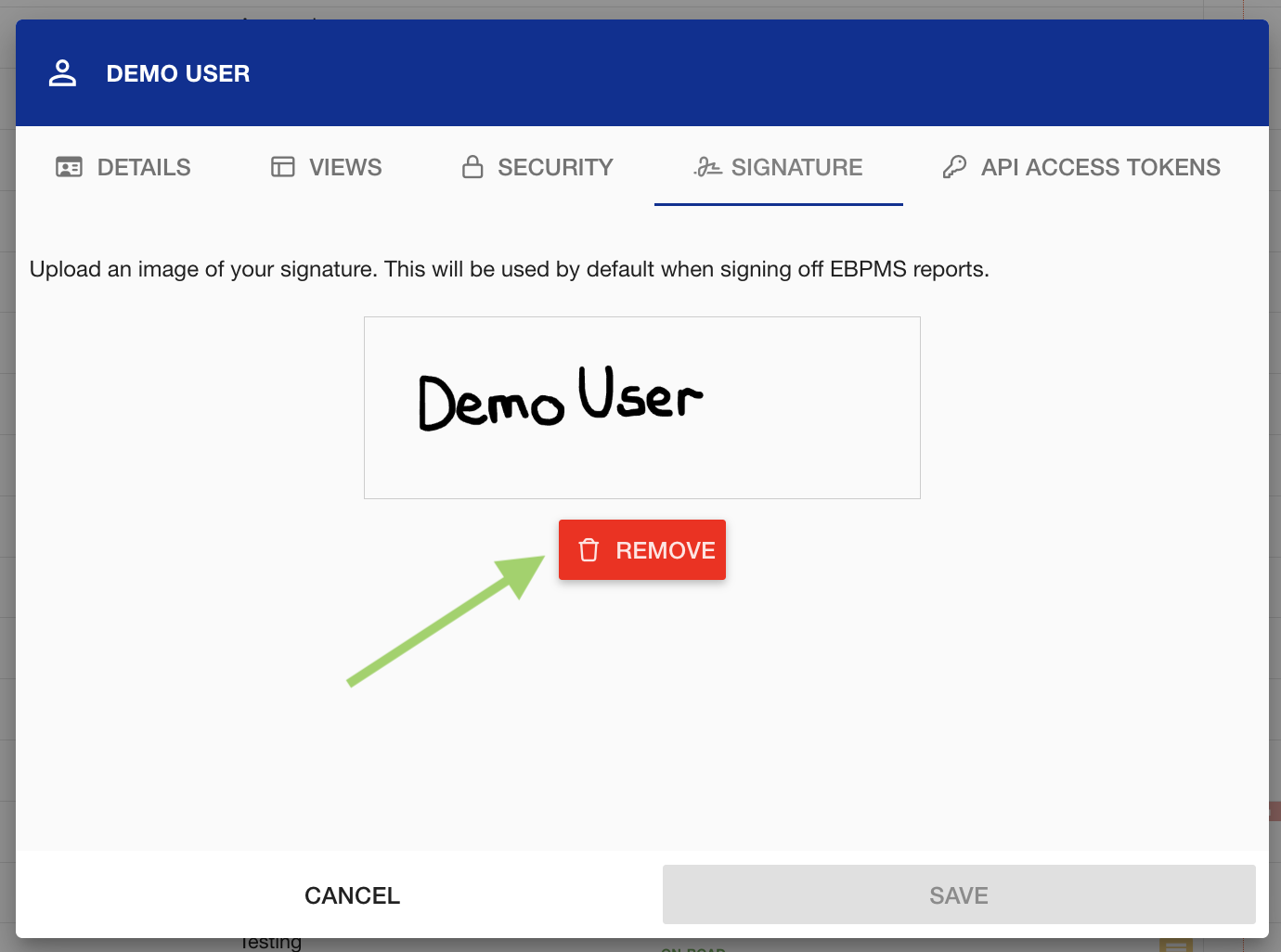
Removing your signature
-
Edit your profile by clicking your Username in the navigation bar.
-
Click the Edit User button
-
Go to the Signature Tab.
-
Click Remove
-
Exit the dialog by clicking Cancel, or by clicking outside the dialog
Signing off a report
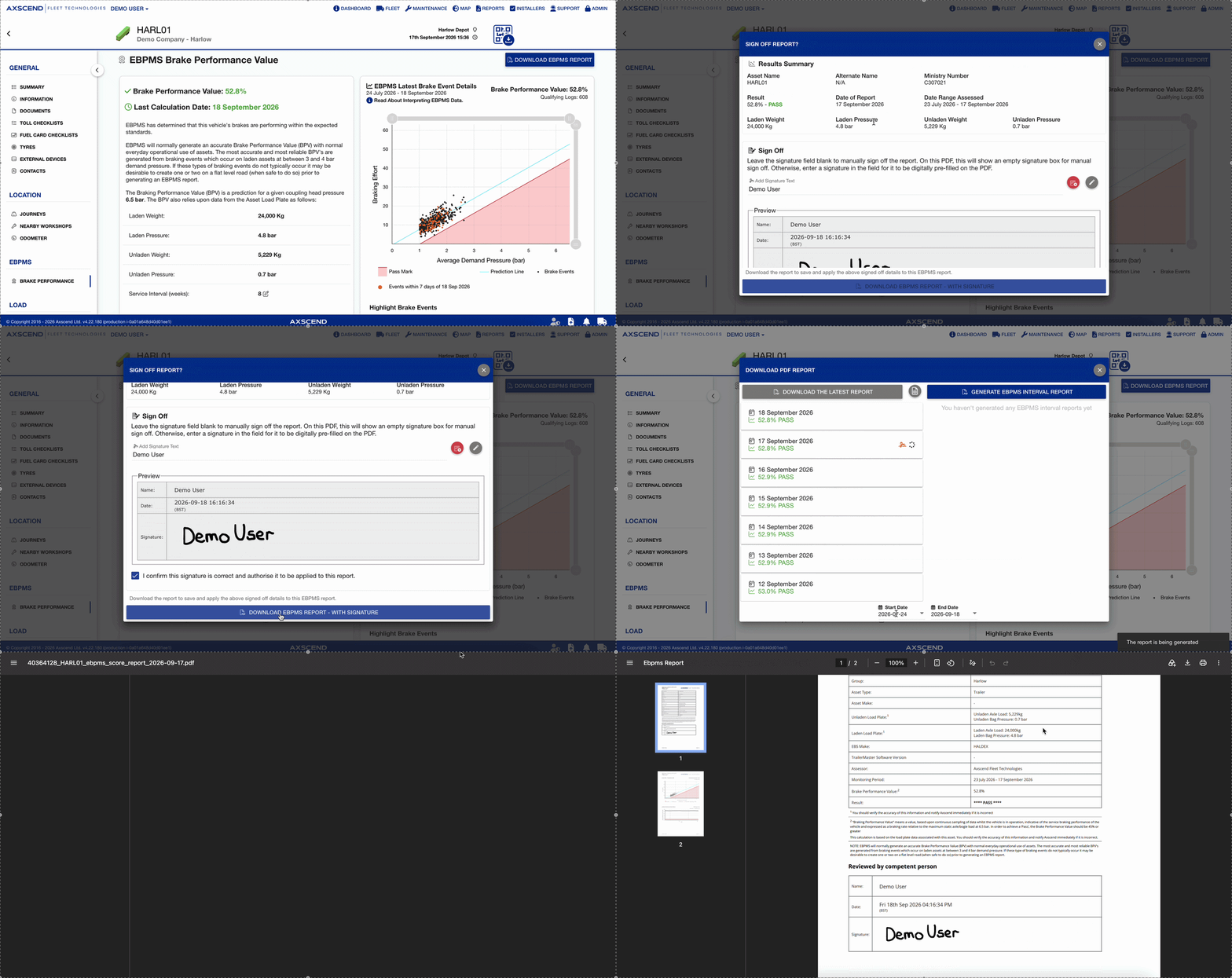
Once a signature is saved to your profile, it is applied for you when you sign off an EBPMS report.
Downloading EBPMS Report for how to reach the download options.
-
Download or Generate an EBPMS report
-
In the Sign Off Report confirmation box, your signature image will be pre-filled in the preview section. Your username will be pre-filled in the name section.
-
You will need to confirm you want your signature applied by clicking the “I confirm this signature is correct and authorise it to be applied to this report.” checkbox
-
Once this is checked, you can download the signed version of the report.
The report has been downloaded with your signature image.
💡 Good to know
-
Reports you have already signed keep the signature they were signed with. So uploading or changing your signature does not alter reports that are already signed off. Your old signature will persist on the reports you signed with that signature.
-
You can still clear your signature and choose manual sign-off instead. See below for guidance.
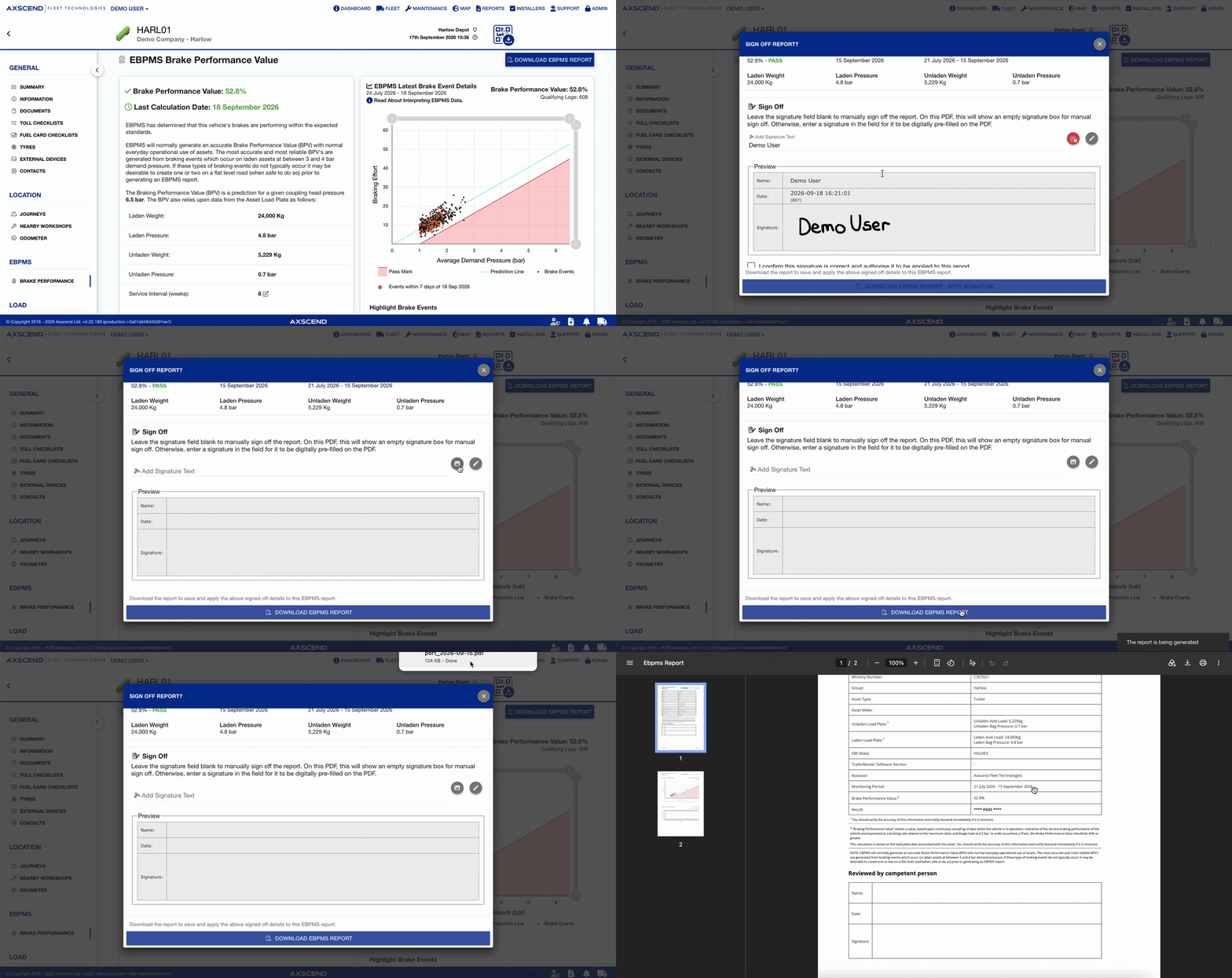
Clearing your signature on a report for manual sign off
-
Download or generate an EBPMS report
-
In the Sign Off Report confirmation box, click the Clear Image icon
-
Download the unsigned version of the report for manual sign off.
The report has been downloaded with no signature.
❓ Frequently Asked Questions