%20BLUE%20TEXT.png)
Go to the Driverpage to see how to get here.
You have access to theMaintenance Menu.
You have permission to update drivers.
-
In the left sidebar, find the driver and open their details.
-
Click the round closed padlock button at the top right. Hovering over it shows Change PIN.
-
A pop-up will open to choose a new PIN.
-
-
Enter a new PIN
-
Confirm the new PIN
-
Click Save
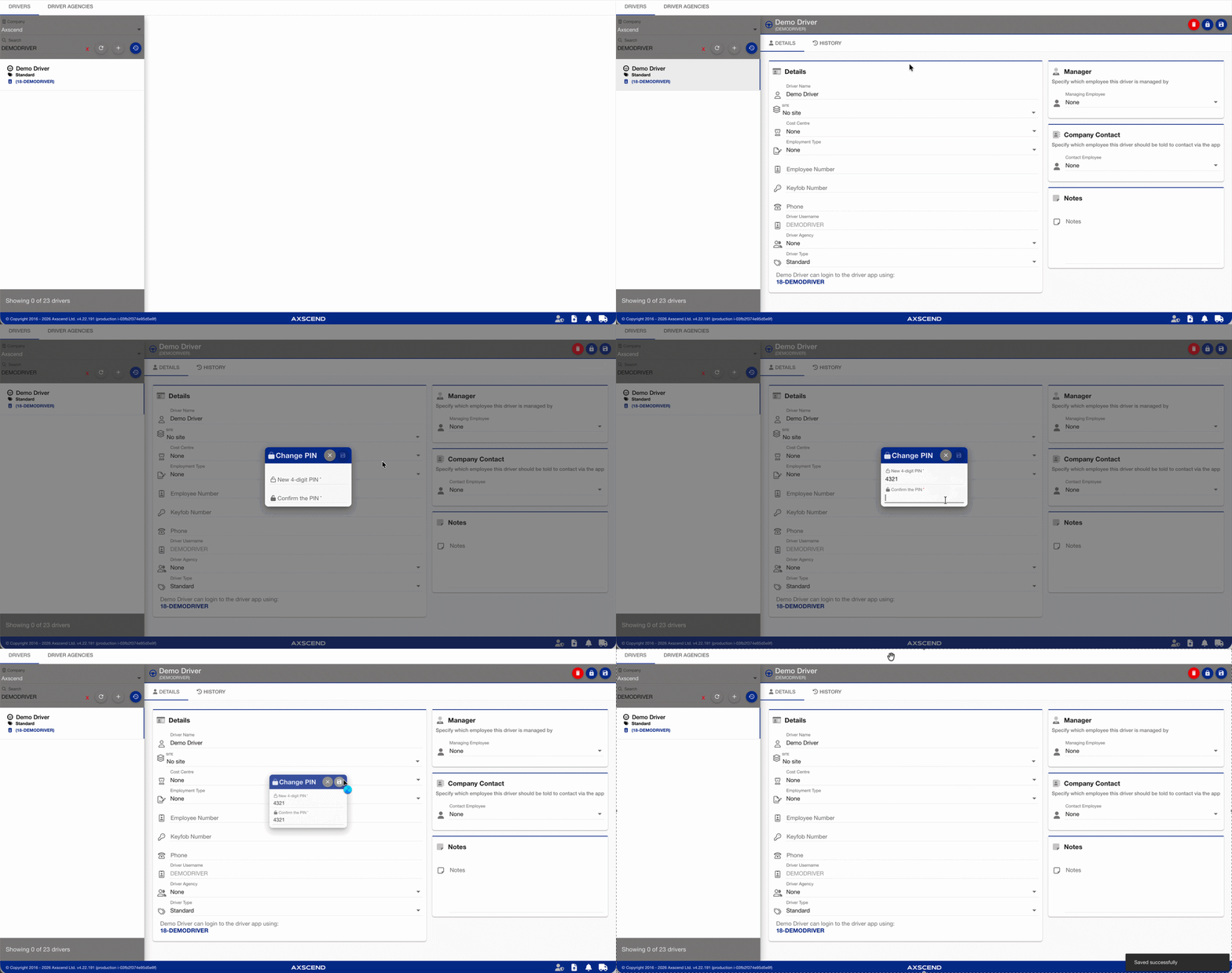
The driver PIN has been changed. They can now log in using this PIN.
If the driver has locked their account by entering the wrong PIN too many times, you will need to unlock it before they can try again.
