%20BLUE%20TEXT.png)
Go to the Finance Records Types page to see how to get here.
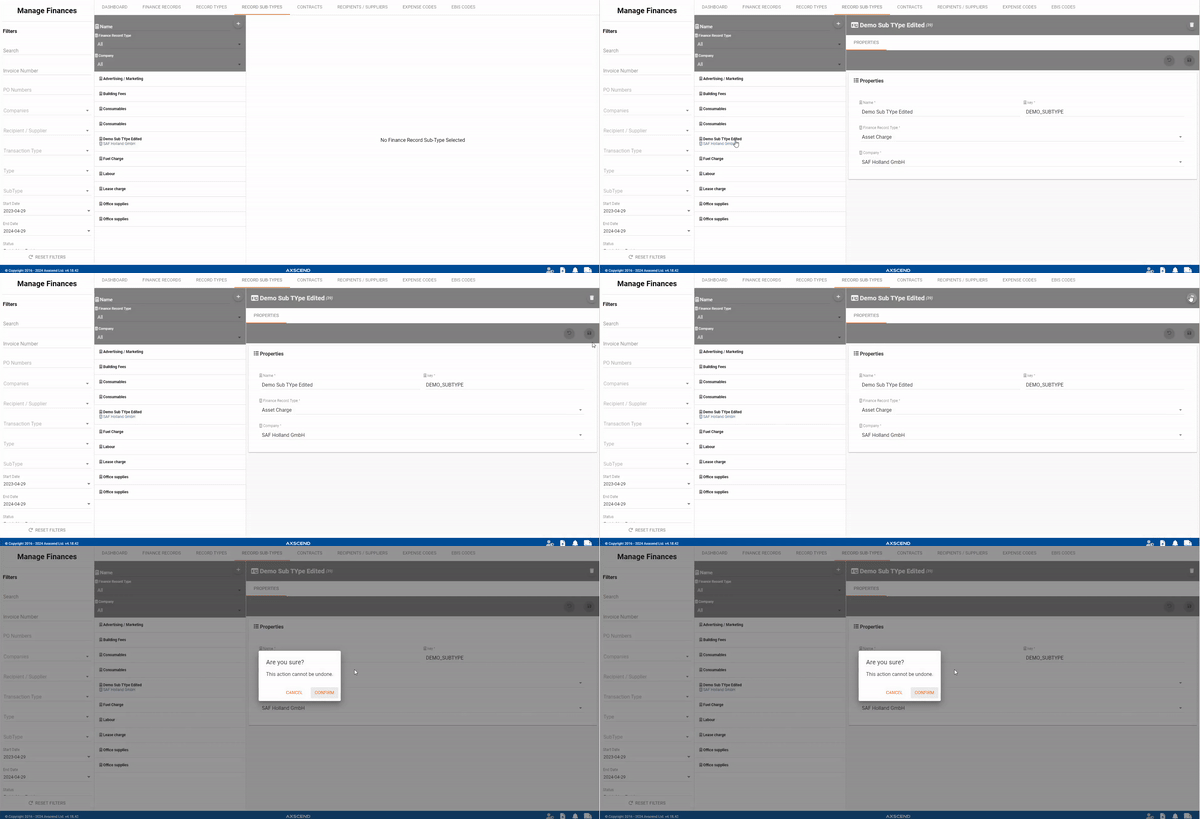
Editing A Record Type
You’re on the Manage Finance page.
You’re in the Record Types tab.
The record type has already been created.
-
Select the record type you want to edit.
-
The editor will open.
-
-
Make your edits.
-
Click the Save button in the editor.
The record type has been edited.
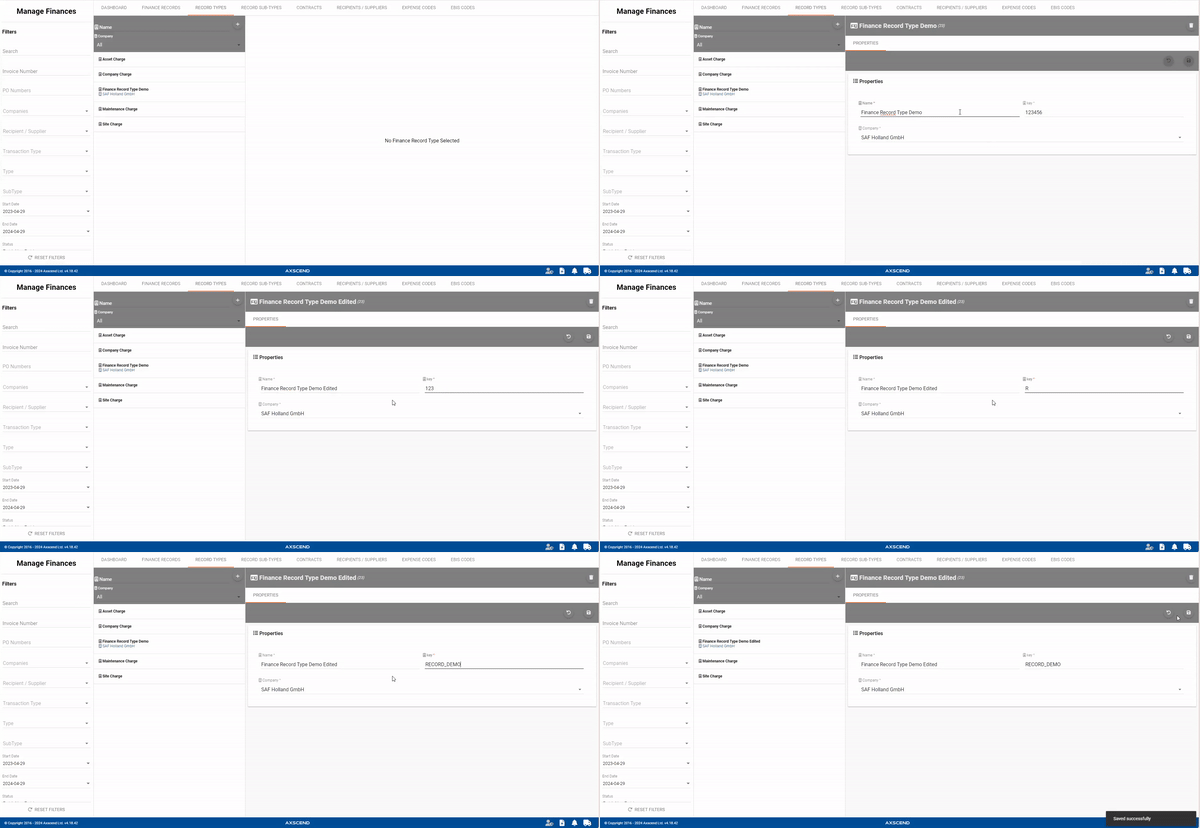
Deleting A Record Type
You’re on the Manage Finance page.
You’re in the Record Types tab.
The record type has already been created.
-
Select the record type you want to delete.
-
The editor will open.
-
-
Click the Delete button in the editor.
-
A pop-up will open.
-
-
Click the Confirm button in the pop-up.
The record type has been deleted.
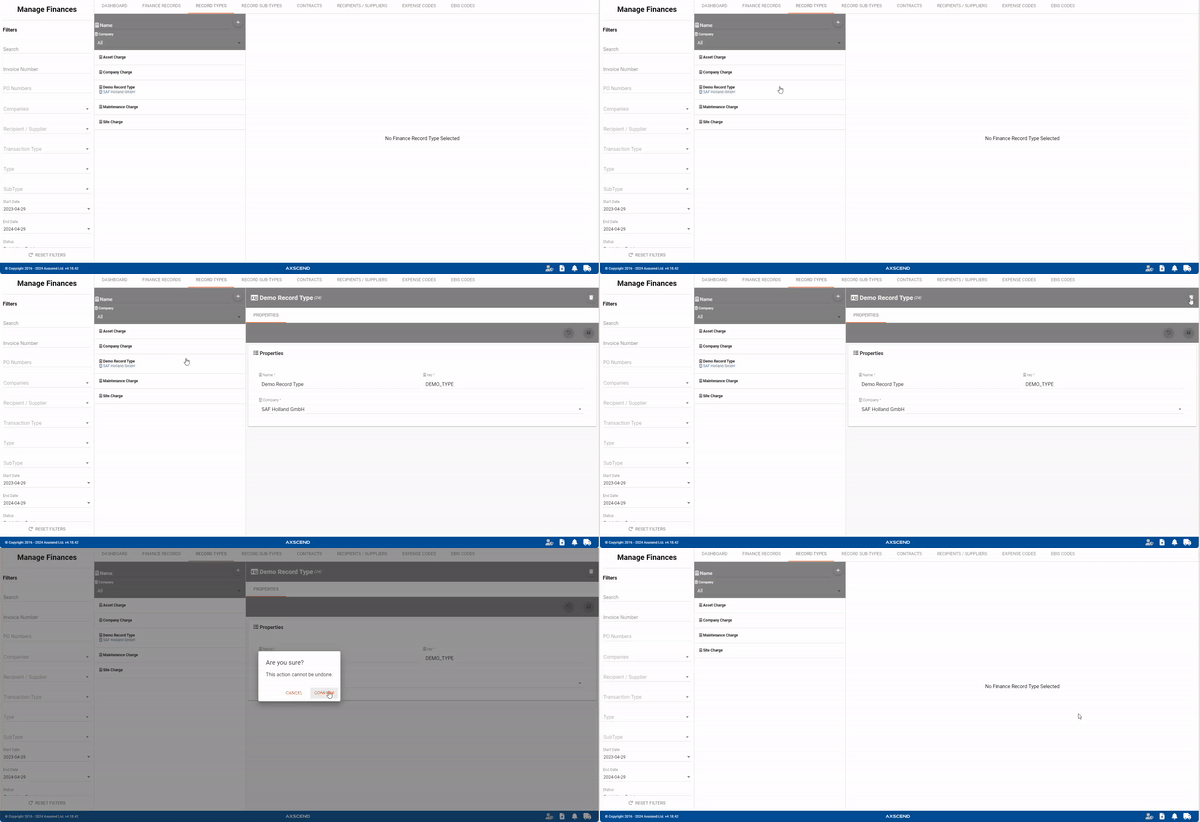
Editing A Record Sub-Type
You’re on the Manage Finance page.
You’re in the Record Sub-Types tab.
The record sub-type has already been created.
-
Select the record sub-type you want to edit.
-
The editor will open.
-
-
Make your edits.
-
Click the Save button in the editor.
The record sub-type has been edited.
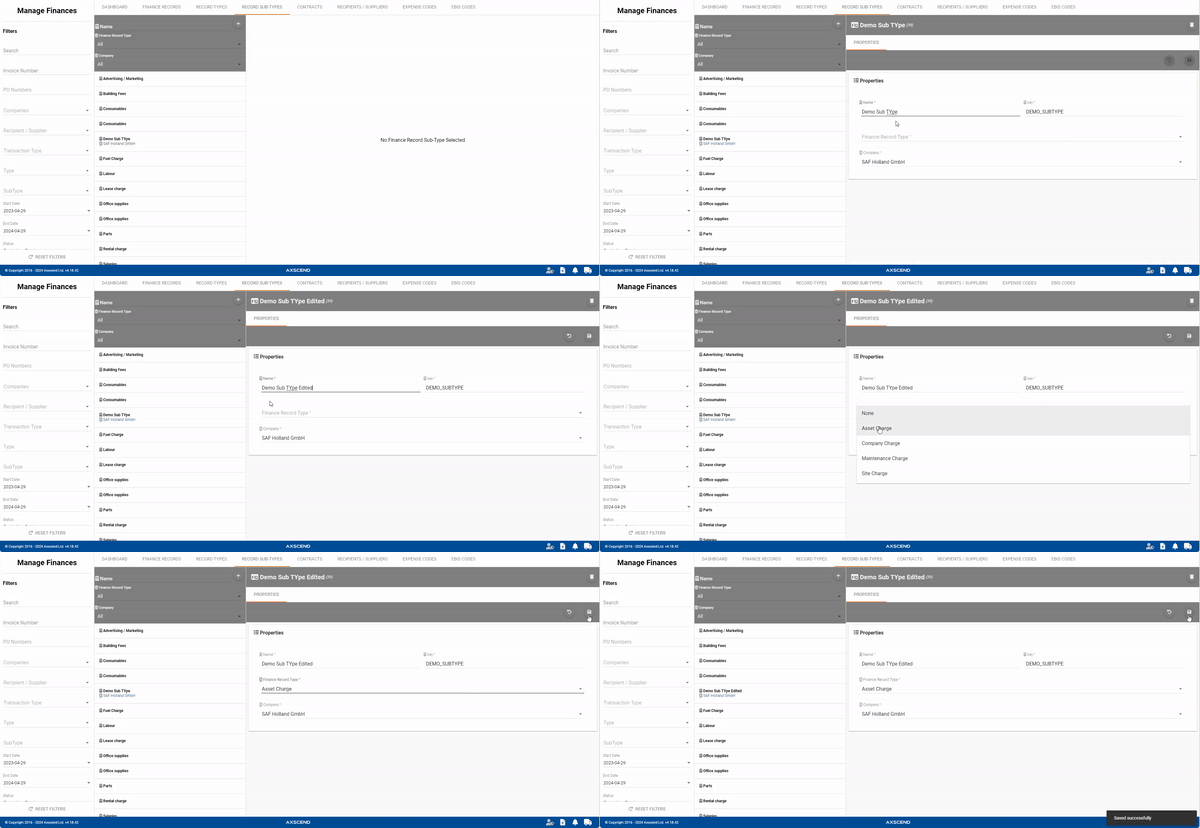
Deleting A Record Sub-Type
You’re on the Manage Finance page.
You’re in the Record Sub-Types tab.
The record sub-type has already been created.
-
Select the record sub-type you want to delete.
-
The editor will open.
-
-
Click the Delete button in the editor.
-
A pop-up will open.
-
-
Click the Confirm button in the pop-up.
The record sub-type has been deleted.